You can check out my project and video here as well!: https://devpost.com/software/slug-spot
Project Summary:
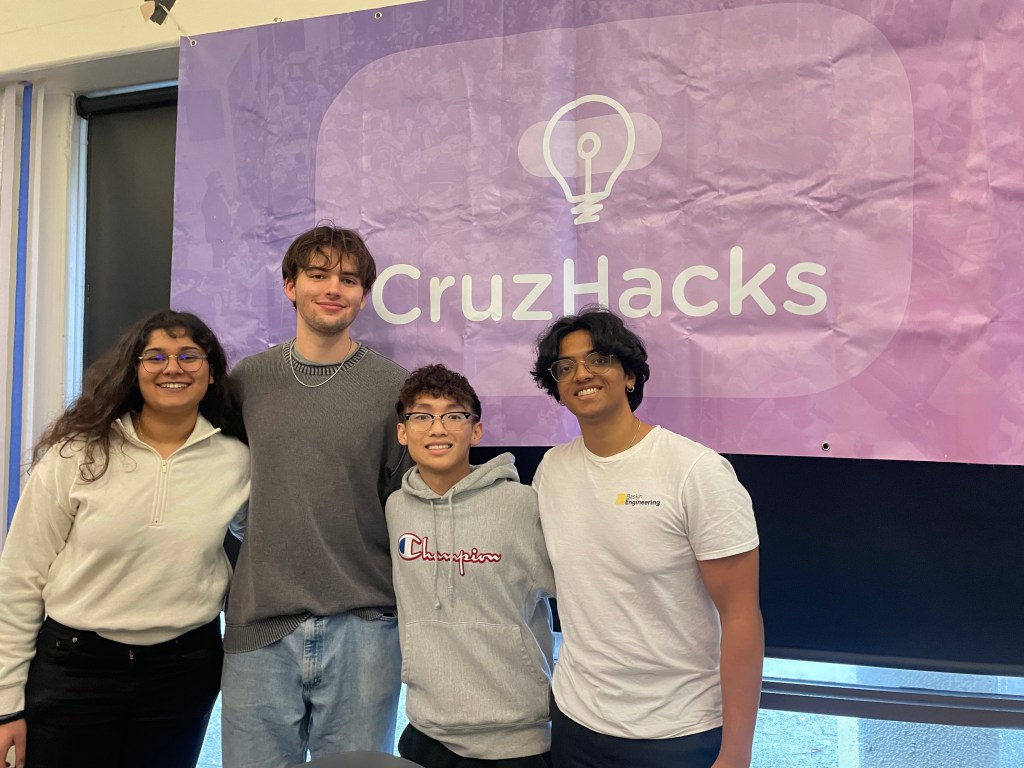
Recently I had the opportunity to compete in Cruzhacks, a hackathon at UC Santa Cruz where I attend. With three other members as a team, we decided to create a product/app for parking lots. With some initial project proposals we decided that what we could do to help our campus was to publicize spaces available at each parking lot on campus, helping transit services and students alike. With our app, the school can track parking lot analytics while also driving parking overflow to more underutilized parking lots, stopping congestion and illegal parking at the same time. With a 72 hour time limit, we pushed eachother to complete a machine learning model, create a React Native app with no previous app development experience, and a business model based on scalability.
Design Process:
Because we needed both an app and device that could recognize parking spot spaces, there were some challenges we needed to overcome.
- Camera/Sensor to count parking spots
- A server to handle data storage
- An app that presents the data to any users
- Live updates to the app
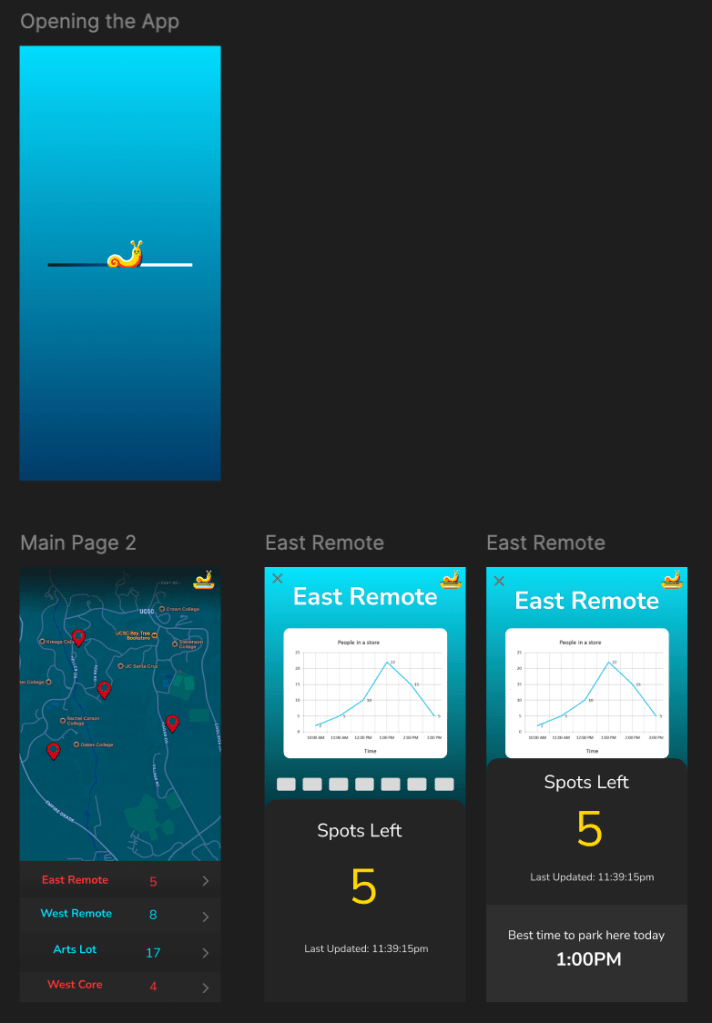
To design our app we utilized figma for initial appearances, had to decide on the best approach for counting cars spots. While there are devices out there that count cars passing by in order to see how full the parking lots are, I wanted to take a machine learning approach as a way to challenge myself and create a more impressive hackathon project. This meant an image classifier would make the most sense, with the hypothetical idea of mounting a camera to a vantage point to get a car count of the entire parking lot at once.
To increase appeal of our app over something like google maps or just not using any in general, we decided to provide these services
- A map with every parking lot location on campus
- Easy to read space availability
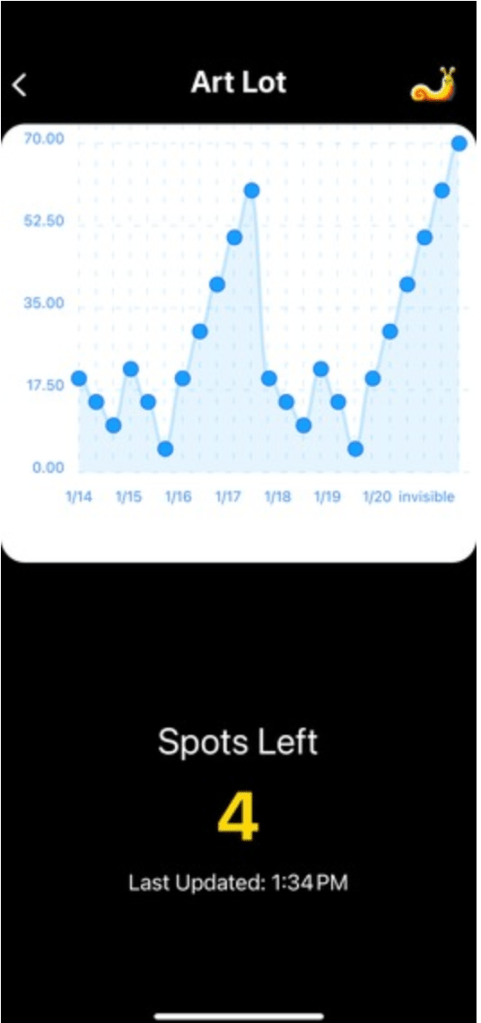
- Analytics over the last week
- provide the best time to park based on our data
- Outsource directions to google maps
Programming
Camera: (Python)
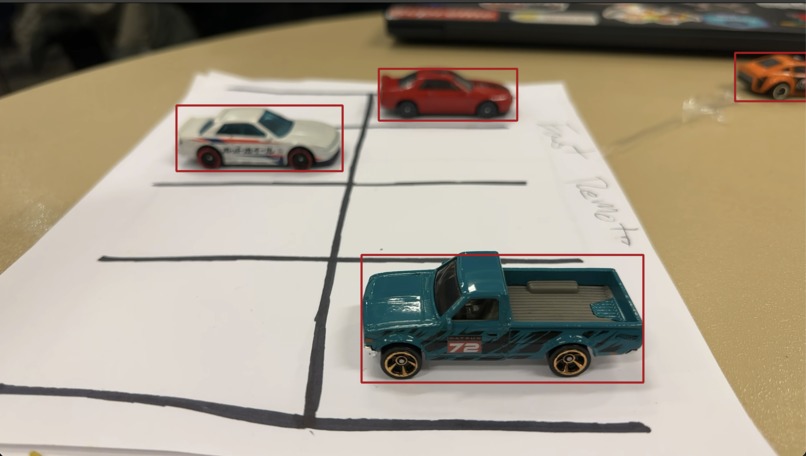
Our method of detection was to create a DNN image classifier trained to recognize cars. As long as we knew in advance the number of spots available in the lot, by counting the number of cars from a mounted camera we could determine open spots by subtracting the two numbers. I created machine learning model that processes the image in sections to see if a car is in each spot, and for human verification mounts a red square over the spot where it recognizes a car. Due to resources available to us during the hackathon, I chose our laptop cameras as a substitute to an actual remote device, but programmed the Python script to be easily adaptable to scalability and flashing to something like arduino if we decided to continue the project later. With some quick changes I could create a new parking lot by changing two variables and some labels, so with each hypothetical parking lot minimal code needed to be changed to have a new identification
Data Servers: (Firebase)
As a team we decided the best approach based on our time restrictions was to utilize a cloud data server like Firebase from amazon to implement our programs. Firebase provided the API we needed to use in both Python for our cameras, and React Native for our app. With some quick formatting through their website and choice of the type of data we needed to save, the data server was up and running, holding both current car count and data per lot for the last week.
App: (React Native)
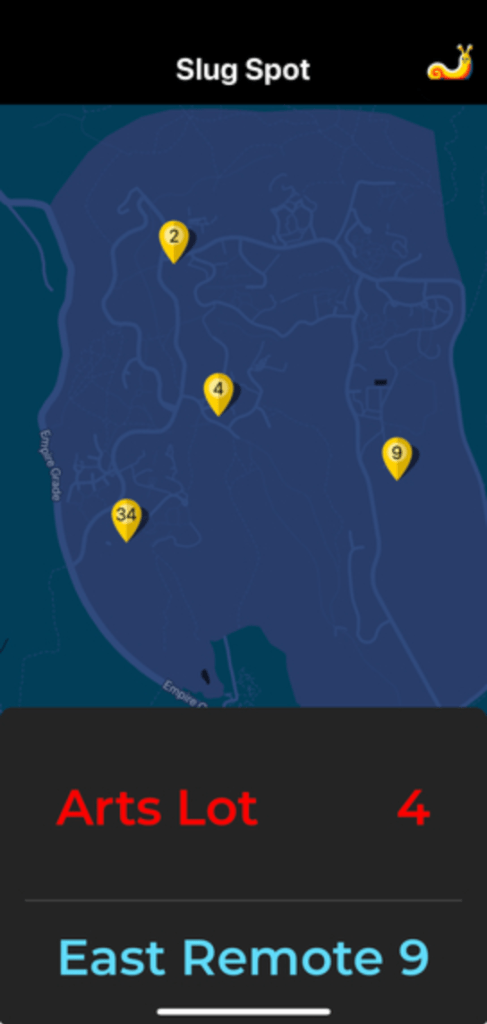
Our app was implemented with React Native utilizing Expo, an app development tool to present the app without needing to publish. Our app had several key features, the google maps implemented on our startup screen, live updates utilizing the Firebase system, and data analytics using matplotlib. I took the opportunity to create both the google maps implementation with markers for each parking lot, and the script that presented past data. A lot of the UI and design of the app was completed by my teammate Rylee while I handled the machine learning portion of the project at the beginning of the weekend, but still had the opportunity to create some of my first React Native programs, a tool I will probably continue to utilize to present other projects in the future.
Testing
Due to obvious restrictions on installing our product on campus for testing we were forced to find some funny work arounds. After a brainstorming session we thought the best way to prove our program works was to buy some Hot Wheels! The toy cars were accurate enough to be recognized by our program while being small enough to fit on a desktop. With some paper to draw a fake parking lot we were able to test different parking lots with different computers acting as the cameras. This also worked well for our presentations to show that our app was working live as we moved the cars around and the app updated concurrently.
Conclusion/Improvements
Sadly our project did not win any awards, although we did place second for our category of campus improvement in points we did not receive anything. I would blame some less than friendly judges but regardless of how we placed I thought our system was professional in how it functioned, looked, and our plans for implementing it on campus.
Improvements:
- First and foremost I think if we were to continue the project I would put our program onto a camera device and do some real world testing. It was impossible during the time of the hackathon so we had to use fake data to show parking history and other features like best time to park
- Currently our program handles both taking an image and the machine learning processing on the same device, if we created a camera device the system that would make the most sense is to each camera only take photos and upload them to a server that would handle the machine learning process, significantly reducing the requirements in processing power for each camera.
- Our app worked decently, but there were some issues with touch response that made the experience feel more like a hackathon project then a finished app, but because it was our first time using react I’m sure with some tweaking we could fix it quickly.
All in all I believe the project was a learning experience for me like no other, hackathons force you to learn a multitude of techniques very quickly and pushed me in ways I didn’t expect. One thing that was important was deciding whether to make it on our own or use an already existing product, choosing to use Firebase over our own server saved us countless hours, and in any company I’m sure they face decisions like that frequently. But essentially I can’t wait to compete again next year.
 Merrick Fort